Toolkit mobile applications are designed to transform complex frameworks, methodologies, and decision-making processes into structured, easy-to-use digital platforms. At Developers App India, we build toolkit mobile apps with feature sets specifically tailored for field operations, multi-stakeholder governance, and data-driven decision support.
Our toolkit platforms are not generic mobile applications. They are purpose-built systems that combine mobile usability, offline-first functionality, and powerful admin panels. Organizations choose our approach to toolkit app development because of the depth, flexibility, and scalability of our feature architecture.
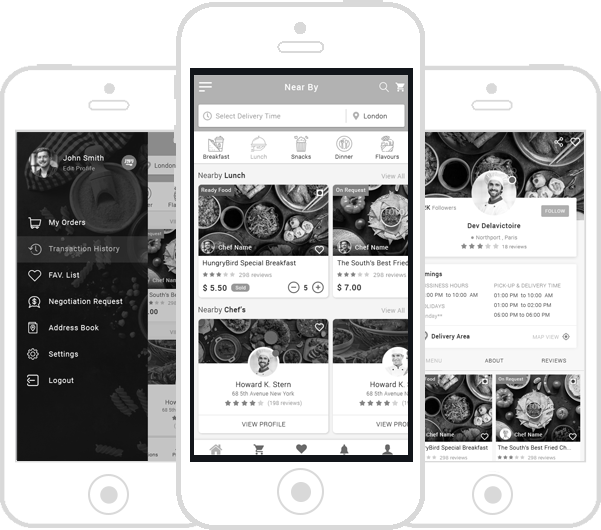
Core Feature Categories of Toolkit Mobile Applications
Toolkit mobile app features can be grouped into four major categories:
- Field & Mobile User Features
- Decision Support & Logic Features
- Data & Analytics Features
- Admin Panel & Governance Features
Each category plays a critical role in ensuring that toolkit platforms deliver consistent outcomes across regions, teams, and programs.
Field & Mobile User Features
Toolkit apps are frequently used in real-world field environments. These features ensure reliability, usability, and accuracy for mobile users.
| Feature | Description |
|---|---|
| Offline Data Collection | Capture data without internet connectivity |
| Multi-Language Support | Localized interfaces for different regions |
| Device-Based Validation | Prevent incomplete or incorrect submissions |
| Auto-Sync | Secure data synchronization when online |
| User-Friendly UI | Optimized for field agents and enumerators |
Decision Support & Logic Features
Decision support is what differentiates toolkit apps from simple survey or data-entry applications. These features enable structured analysis and consistent outcomes.
| Feature | Purpose |
|---|---|
| Rule-Based Logic | Apply predefined conditions and workflows |
| Scoring & Weighting | Evaluate inputs using configurable models |
| Conditional Flows | Dynamic questions based on responses |
| Recommendations Engine | Generate action-oriented outputs |
| Offline Rule Execution | Run logic without internet connectivity |
Data Management & Analytics Features
Toolkit apps generate valuable operational, environmental, and programmatic data. These features ensure that data can be analyzed and used effectively.
| Feature | Description |
|---|---|
| Real-Time Dashboards | Monitor field activity and submissions |
| Geographical Analysis | Location-based insights and mapping |
| Trend Analysis | Identify patterns over time |
| Data Export | CSV, Excel, and report-ready formats |
| Audit Trails | Track data changes and submissions |
Admin Panel & Governance Features
Admin panels are the control center of toolkit platforms. These features ensure governance, scalability, and long-term maintainability.
| Admin Feature | Benefit |
|---|---|
| Role-Based Access Control | Granular permissions for stakeholders |
| Content Management | Update toolkit questions and guidance |
| Logic & Rule Management | Modify decision rules without redeployment |
| User Management | Control mobile and admin users |
| Security Controls | Protect sensitive data and workflows |
Advanced Toolkit Mobile App Features
For large-scale or enterprise-grade deployments, toolkit apps may include advanced features:
- Multi-program and multi-region support
- Version control for frameworks and rules
- Integration with external systems via APIs
- Custom dashboards for different stakeholders
- Scalable cloud-based infrastructure
Security Features Across Toolkit Platforms
Security is embedded into every toolkit app we develop. Key security features include:
- Encrypted local and server-side storage
- Secure authentication and session management
- Role-based admin access
- Audit logging and compliance support
Why Feature Planning Matters in Toolkit App Development
Toolkit apps are long-term platforms that evolve with organizational needs. Feature planning ensures that new frameworks, rules, and programs can be added without rebuilding the system.
Developers App India focuses on scalable feature architecture to support future growth and cross-sector expansion.
Why Choose Developers App India?
- Deep understanding of toolkit-specific feature requirements
- Mobile-first and offline-ready architecture
- Powerful admin panel development expertise
- Experience with international organizations
- Clear documentation and structured delivery
What You Get – Free & With No Obligation
- FREE feature consultation and planning
- FREE SRS documentation
- FREE wireframes and UX flows
- FREE 6 months maintenance and support
Contact Developers App India
If you are planning to build or enhance a toolkit mobile application and want expert guidance on feature planning and implementation, our team is ready to help.
Contact Form: https://developersappindia.com/contact
Email: [email protected]
WhatsApp: +91 9586 979730
Your choice of weapon
Build your Apps for any Platform
Frequently Asked Questions
What are the core features of a toolkit mobile app?
Core features include offline data collection, decision logic, analytics dashboards, and admin panel governance.
Can toolkit features be customized?
Yes. Toolkit app features are fully customizable based on organizational frameworks and workflows.
Do toolkit apps support offline usage?
Yes. Offline-first functionality is a core feature of toolkit mobile applications.
Can features be updated without redeploying the app?
Yes. Admin panels allow content and logic updates without redeploying the mobile app.
We to code. It's our passion





you can also reach us at our given
email address or phone number.